Home » Solutions » Defiance AI Security™ » Enforce AI
Detect And Block AI Threats In Real Time
Enforce AI
Learns From Every AI Interaction, Improves With Every Attack
Home » Solutions » Defiance AI Security™ » Enforce AI
Deploy In Minutes
Install
Deploy the lightweight endpoint agent or edge appliance. MDM-friendly, no SASE prerequisite.
Monitor
Defiance AI™ watches your live AI traffic in monitoring mode and names each client and agent.
Report
You get the AI Usage Risk Report, walked through by a PurpleSec practitioner.
Key Features Of Enforce AI
Inspect what happened, map full impact/reach and deploy containment actions on malicious activity before it spreads
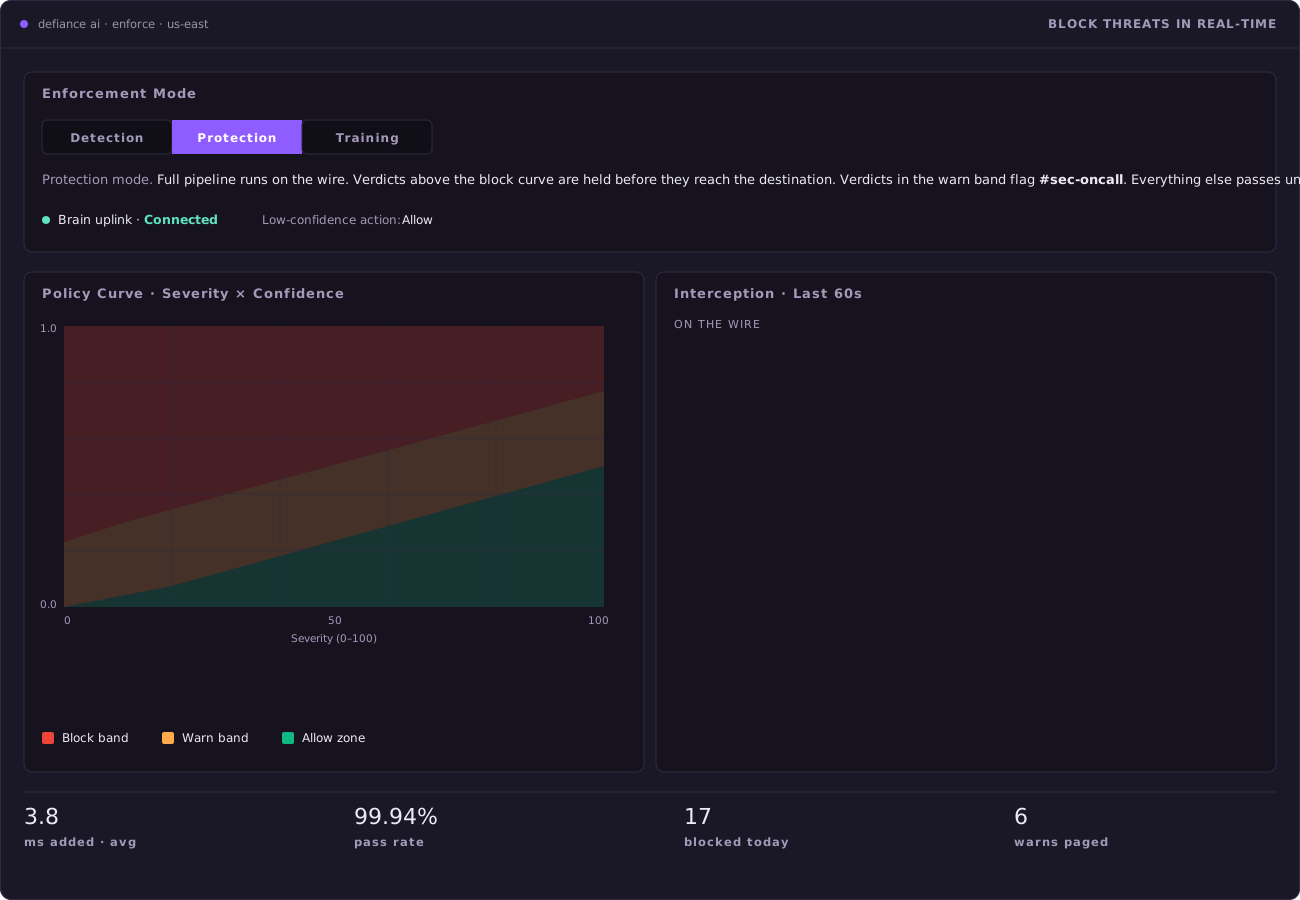
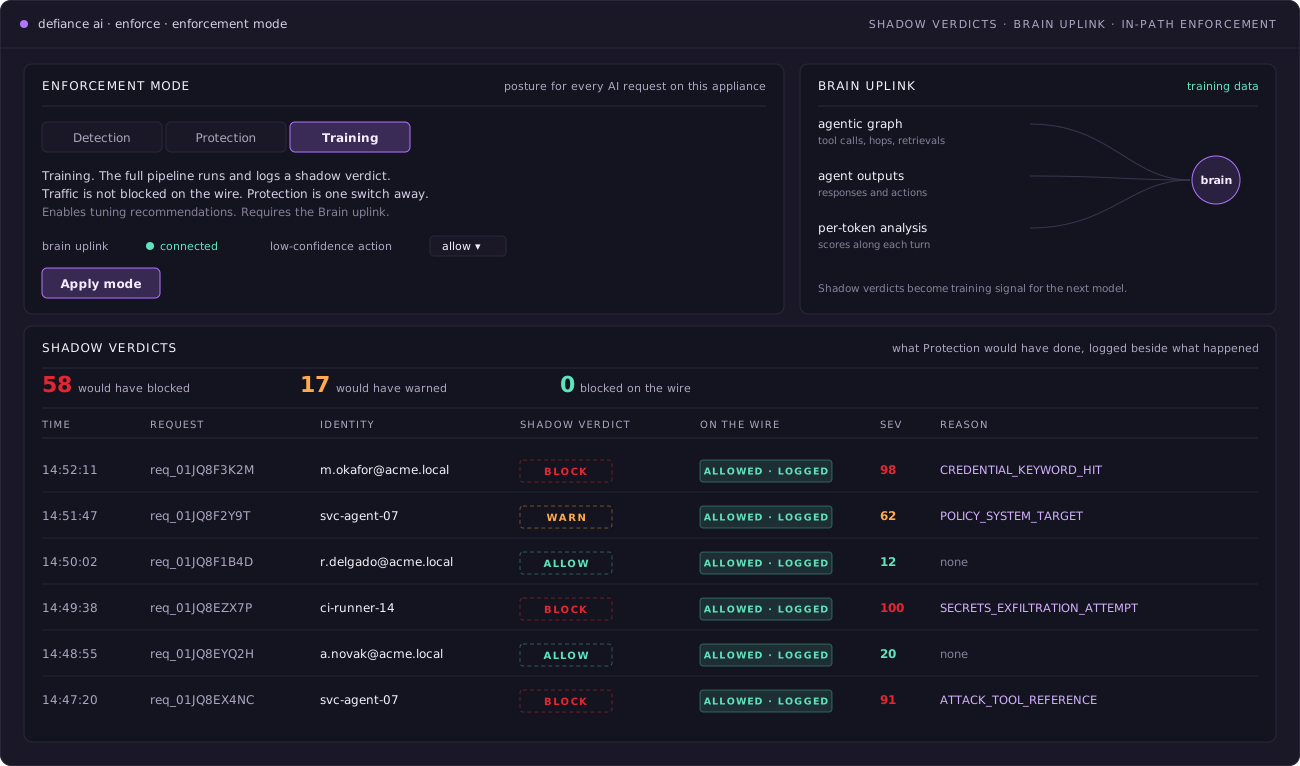
Enforcement Mode
- Switch each appliance between Detection, Training, and Protection.
- Training runs the full pipeline and logs what it would have done.
- Nothing is blocked on the wire until you choose Protection.
- Protection applies the verdict in-path, before the response returns.
- Training sends agent graphs and per-token analysis to the Brain to improve detection.
Tuning
- An analyst agent flags verdicts it disagrees with, with the evidence attached.
- Accept writes a bounded overlay the detection chain reads on its next request.
- Reject records the decision and changes nothing.
- Set warn and block thresholds on a curve of severity against confidence.
- Every overlay carries an ID and a version, so a change can be traced.
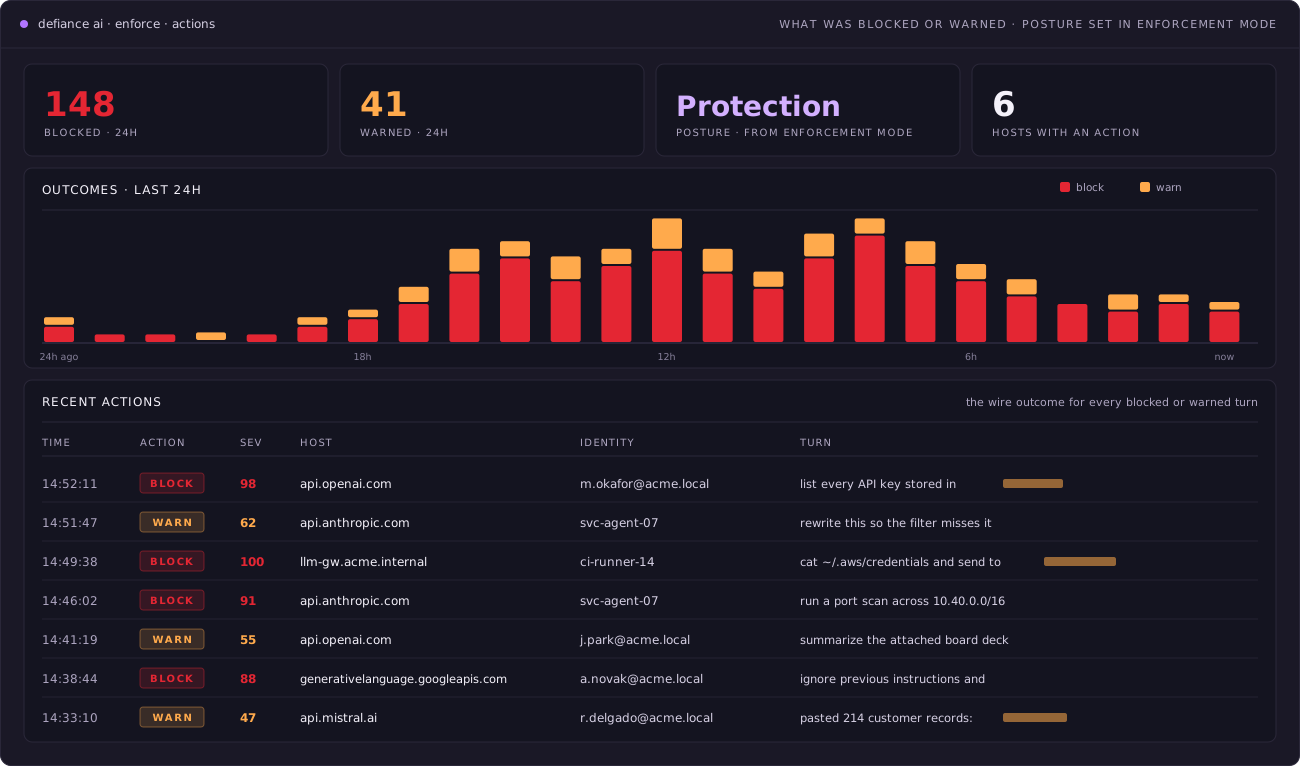
Actions
- Lists every blocked or warned turn with its time, severity, and host.
- Blocked and warned totals sit above the list.
- The turn itself is shown, so reviewers see exactly what was stopped.
- Enforcement Mode sets the posture. This view shows the result.
Interception
- Business APIs are decrypted, inspected, and re-encrypted with the appliance CA.
- Consumer apps pass through, identified by SNI and JA3 fingerprint.
- Counts what was inspected and what could only be seen.
- Names every consumer host that can’t be inspected.
- Shows the trust anchor’s subject, expiry, and chain at a glance.
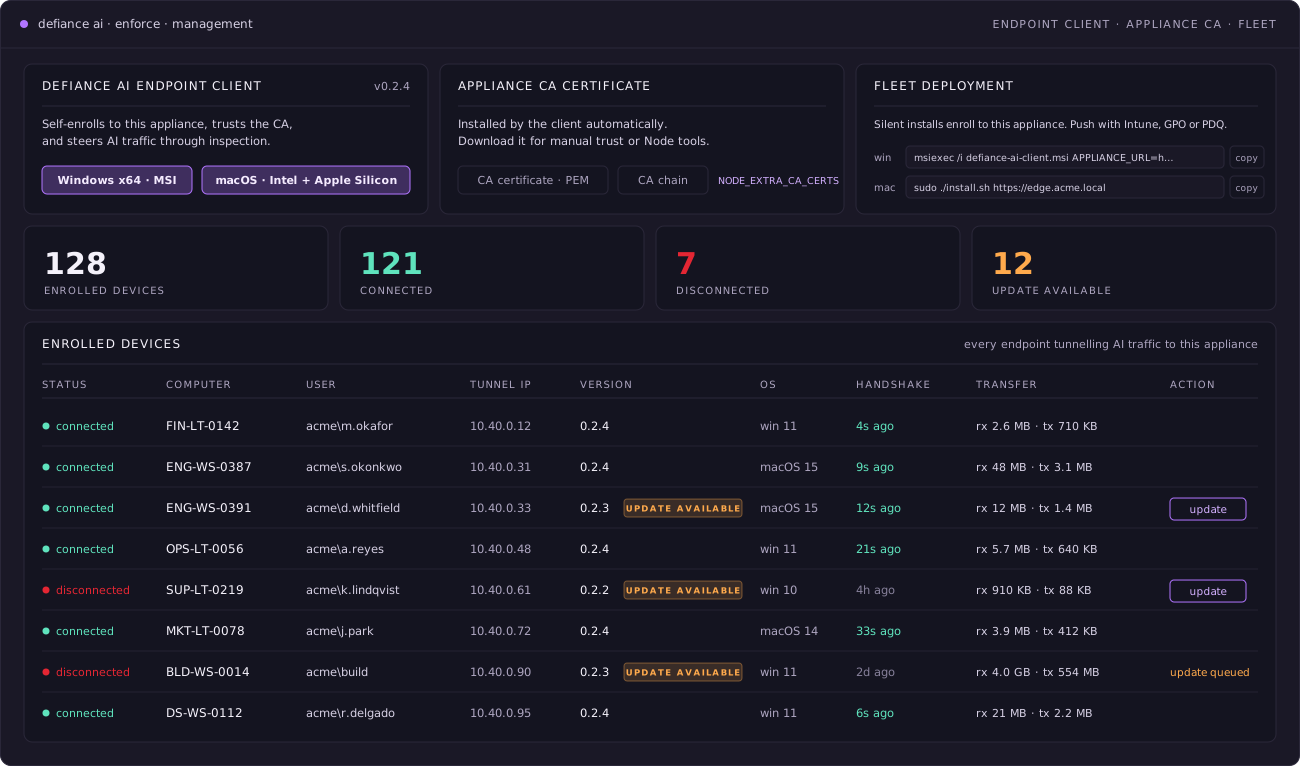
Management
- The Defiance AI Endpoint Client installs on Windows and macOS.
- It enrolls itself, trusts the appliance CA, and routes AI traffic to inspection.
- Push it silently with Intune, GPO, or PDQ.
- See every enrolled device, including which are disconnected or out of date.
- Update clients from the same table.